
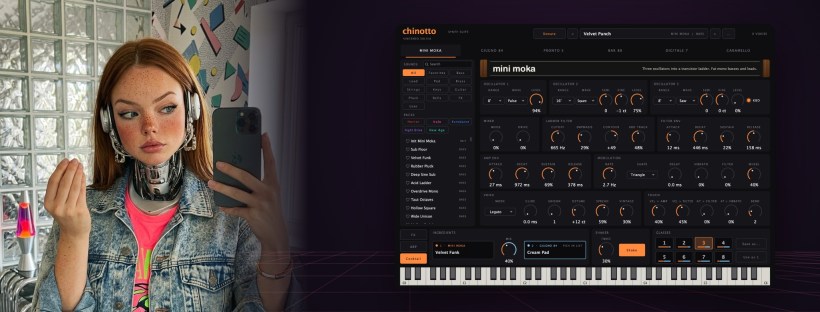
Okay, I say it one more time, slowly.
The four bottles are free. A synth, a drum machine, a multi-effect and a mastering suite for Mac, and you pay zero. You don’t need an account and there’s no subscription. You download and you play.
I say it because some people write me “nice, the little plug-ins”. Little? Boh. People pay hundreds of euros for plug-ins like these. And in two weeks I did so many updates that my Mac started asking for holidays.
My favourite one is a bar.
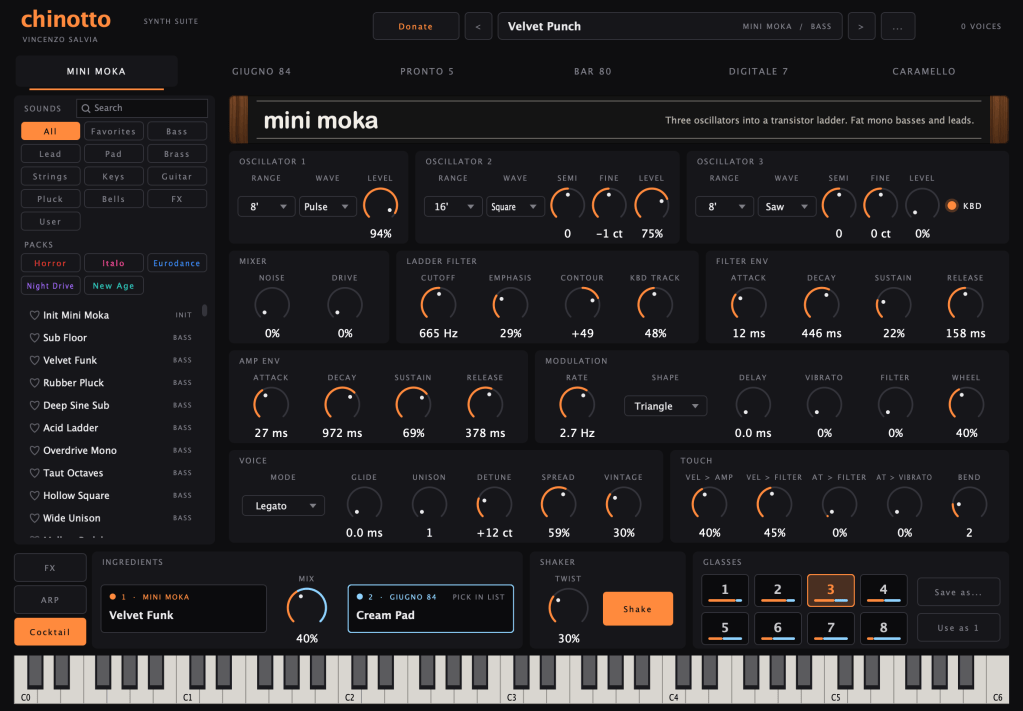
In Chinotto now there’s the Cocktail. You pick two presets, they are the ingredients, and with the Mix knob you decide the dose while you play, a bit more of this one, a bit less of that one. Then you press Shake and it pours eight glasses on the pads, eight versions of the same cocktail. You taste them one by one like at a wedding buffet, and when you find the good one, Save as, and it’s yours.
Twist decides how creative the bartender is today.
The other bottles also didn’t stay still. Quick tour.
Chinotto.
Synth · Free
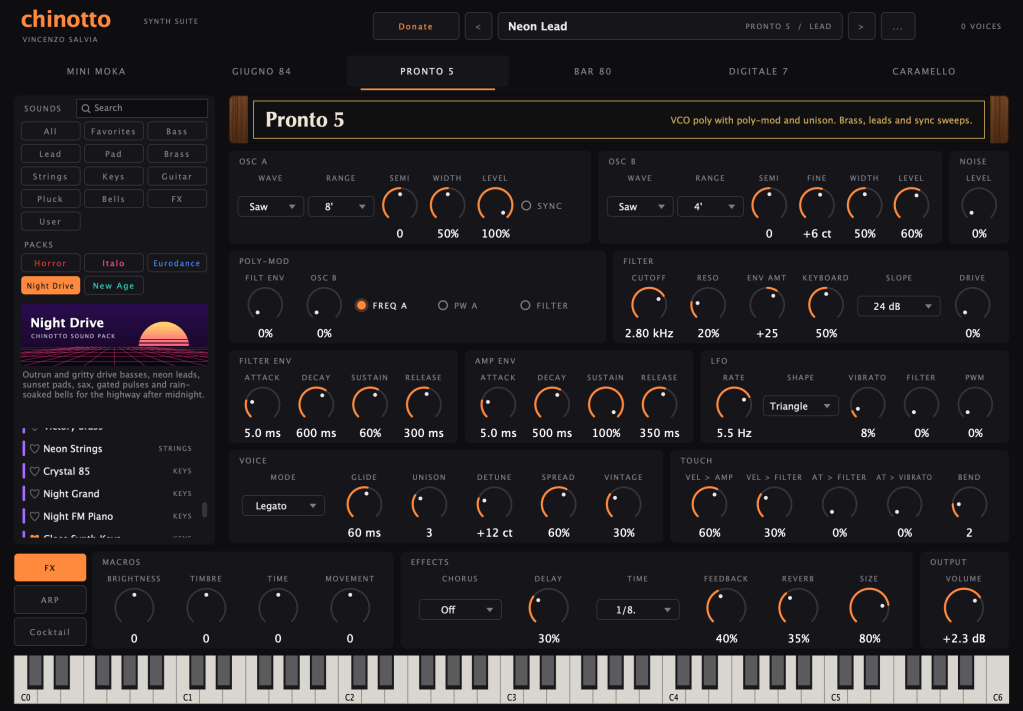
Six machines inspired by the eighties in one synth, 171 sounds, plus five free packs from Italo Disco to Horror 80s. And now, at the bottom, the bar.
Spuma.
Drum machine · Free
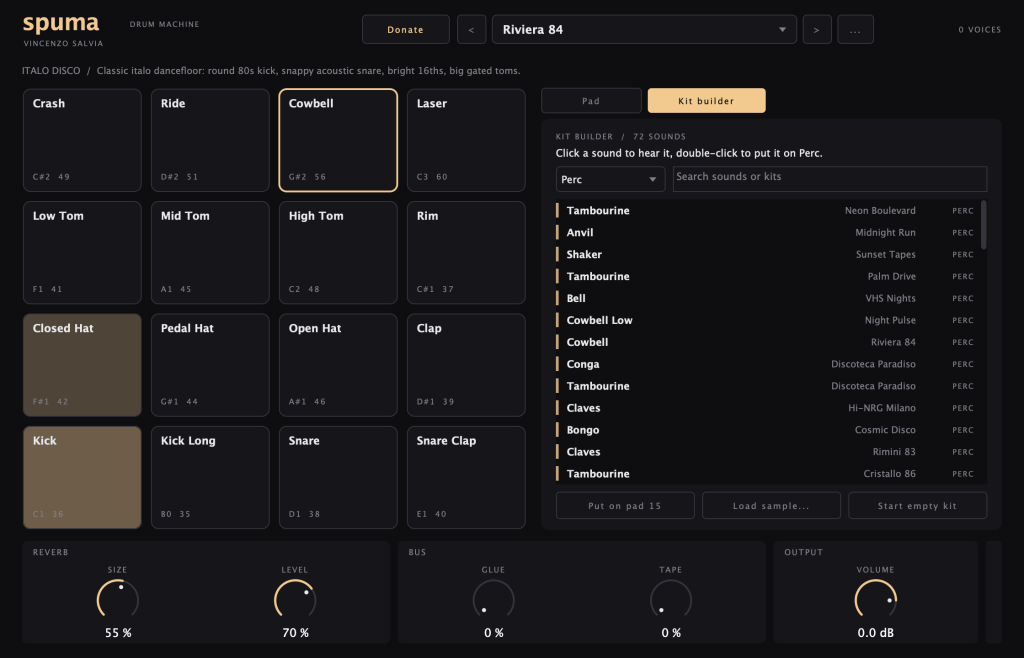
Every hit is made digitally from zero, so all of it weighs 10 MB. 23 kits, 16 stereo outputs, and now you can drag your own samples on the pads and make the kit you have in your head.
Cedrata.
Multi-effect · Free
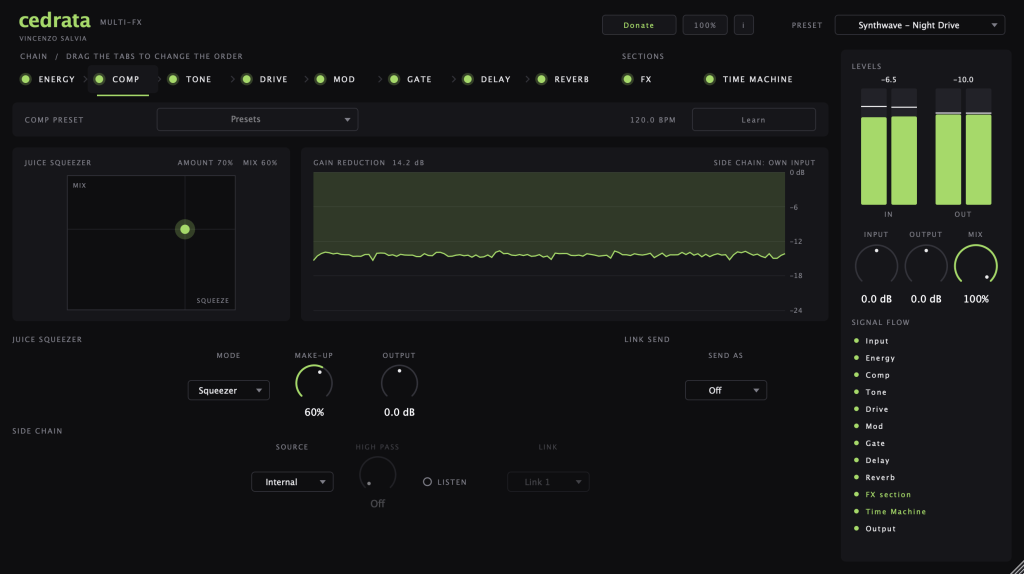
Eight effects in a chain you reorder with the mouse, and the Time Machine from 1965 to today. New in the Drive there’s Reel, a tape recorder you can ruin on purpose. In the Comp there’s Juice Squeezer, you drag one dot and the drums wake up. And Clean Tails stops the reverb from becoming a minestrone.
Lemon.
Mastering · Free
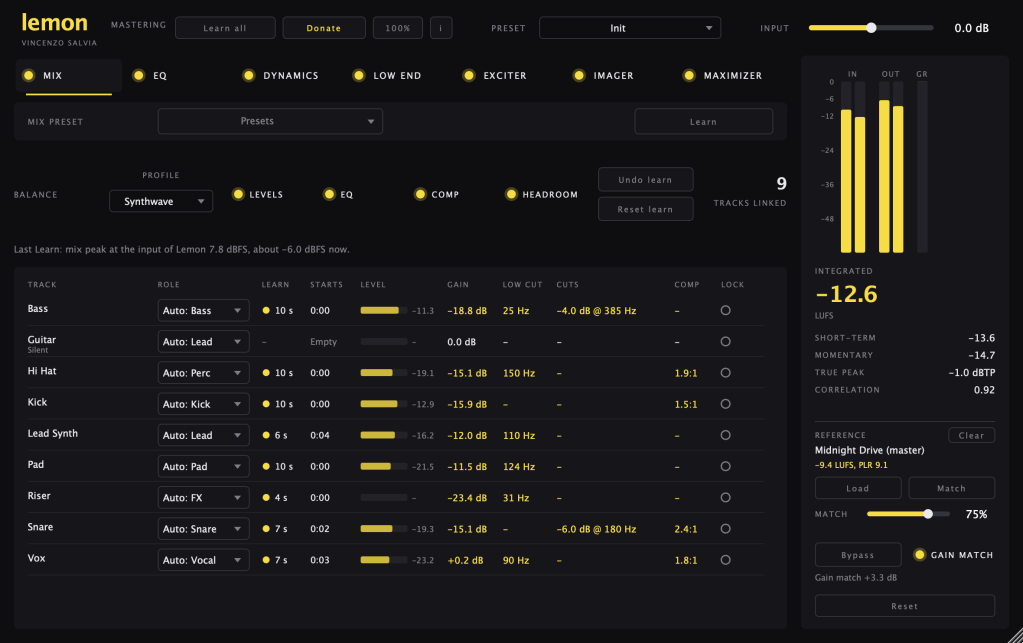
Lemon goes on the master, Lemon Zest goes on every track and helps you with the mix. The new one is Learn all: one click, it listens to your song and sets every module alone. Around 45 seconds, the time of a ristretto.
And they are light. You can put Lemon Zest on forty tracks and the Mac doesn’t even notice.
I wanted to make tutorials. Then, aspetta.
A tutorial is twenty minutes of me saying “so, ehm” and pointing at knobs. There’s Alice for this. You find her on the side of the site, where it says Chat with Alice. She knows every button of every bottle and she answers also at three in the morning, more patient than me. That’s not difficult.
I tested her a little.
Alice, what is the Cocktail button in Chinotto?

Alice · VS Music Studio Assistant
blinking LED eyes playfully while mixing two virtual ingredients
The Cocktail is Chinotto’s sound-blending section. It lets you choose two sounds, combine them, and crossfade between them with the Mix knob while playing.
Twist adds variation, while Shake creates eight alternative variations on the pads. Use Save as… to store your favorite result.
It’s available in Chinotto 0.9.3, and you’ll find it at the bottom, beside FX and ARP. Tiny bar, very dangerous cocktails. 🍸
I have a question about the Spuma drum machine. Can I route the kick, snare, hi-hats, etc., to separate channels in Logic? Explain it to me step by step.
Alice · VS Music Studio Assistant
activating routing diagnostics while the LED meters blink politely
Yes. Here’s the Logic Pro setup:
- Create a Software Instrument track.
- Load Spuma as the instrument.
- In the channel strip, click the “+” button below the instrument slot to create an auxiliary channel.
- Repeat this for the separate stereo outputs you need.
- In each auxiliary channel, open the input menu and select Spuma’s outputs: Output 3–4, 5–6, 7–8, and so on.
- In Spuma, assign the kick, snare, hi-hats and other sounds to different outputs, if required by the current kit.
- Rename the auxiliary channels and process them independently.
Spuma supports 16 stereo outputs. The exact pad-to-output assignment can vary by kit, so check the kit’s routing inside Spuma. Tiny cables, huge responsibility.
Alice, I didn’t understand how the sidechain works in Cedrata.
Alice · VS Music Studio Assistant
tilting head with a mechanical whir, opening Cedrata’s sidechain panel
In Cedrata, the sidechain works through Link, without cables:
- On the kick, open Comp and choose Send as > Link 1.
- On the track you want to duck, activate Comp.
- Set Source > Link, then choose Link > Link 1.
- Start playback and adjust the compressor.
The kick now controls the compression of the other track. If it doesn’t react, check the Side Chain menu at the top of Cedrata in Logic.
What is the Clean Tails on the Cedrata reverb tab?
Alice · VS Music Studio Assistant
twisting a tiny virtual reverb knob while the LED meters shimmer
Clean Tails makes the reverb tail of notes that have stopped playing fade out when new notes arrive, instead of building up and becoming muddy.
Speed controls how quickly the old tail is reduced. It works with every reverb type and remains active when you change presets.
For a clean, readable mix, it’s especially useful on vocals, pads and busy arrangements.
What is the Mix tab in Lemon?
Alice · VS Music Studio Assistant
adjusting chrome fingers over the virtual mixer, then accidentally nudging one fader
The Mix tab in Lemon works with Lemon Zest, which you place as the last insert on each track.
Click Learn, play at least 5 seconds of music, then click again. Lemon analyzes the tracks and suggests roles, levels, low cuts, EQ moves and compression. You can repeat Learn on different sections, such as the chorus, bridge and intro.
Lemon Zest’s gain controls the level, not your DAW’s faders. If the tracks don’t appear, make sure Lemon and Lemon Zest are in the same project, with only one Lemon instance.
The LED eyes and the chrome fingers are included, no extra cost.
All free, for Mac, no account. For now. After, chissà.
Discover more from Vincenzo Salvia
Subscribe to get the latest posts sent to your email.

