
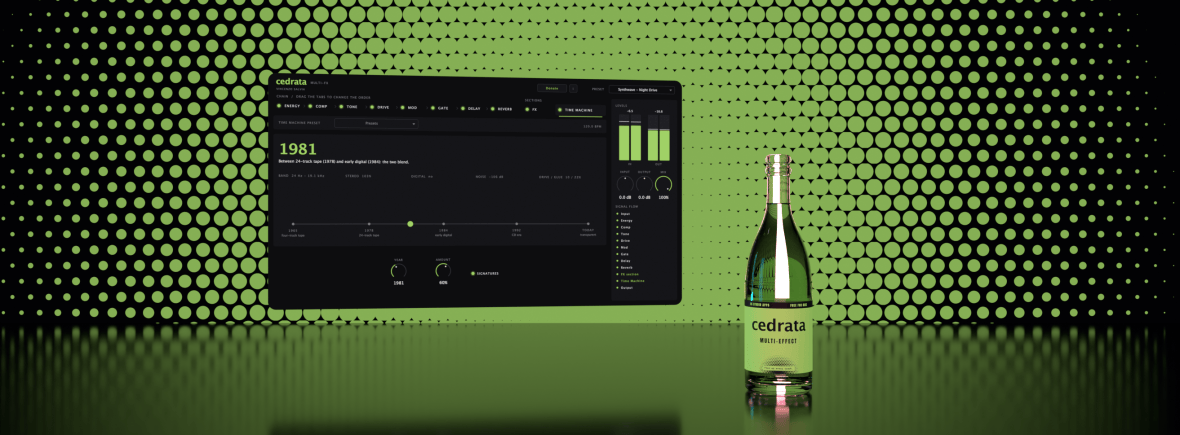
Fizz up every track.
A channel strip you can rearrange: eight modules in the order you drag them, an FX section for the wild stuff, and a Time Machine that runs your track through the studios of five eras.
Free. Version 0.5.3, released 15 November 2026. Mac: macOS 12 or later, Apple Silicon or Intel, Audio Unit and VST3. Windows: Windows 10 or 11, 64-bit, VST3.
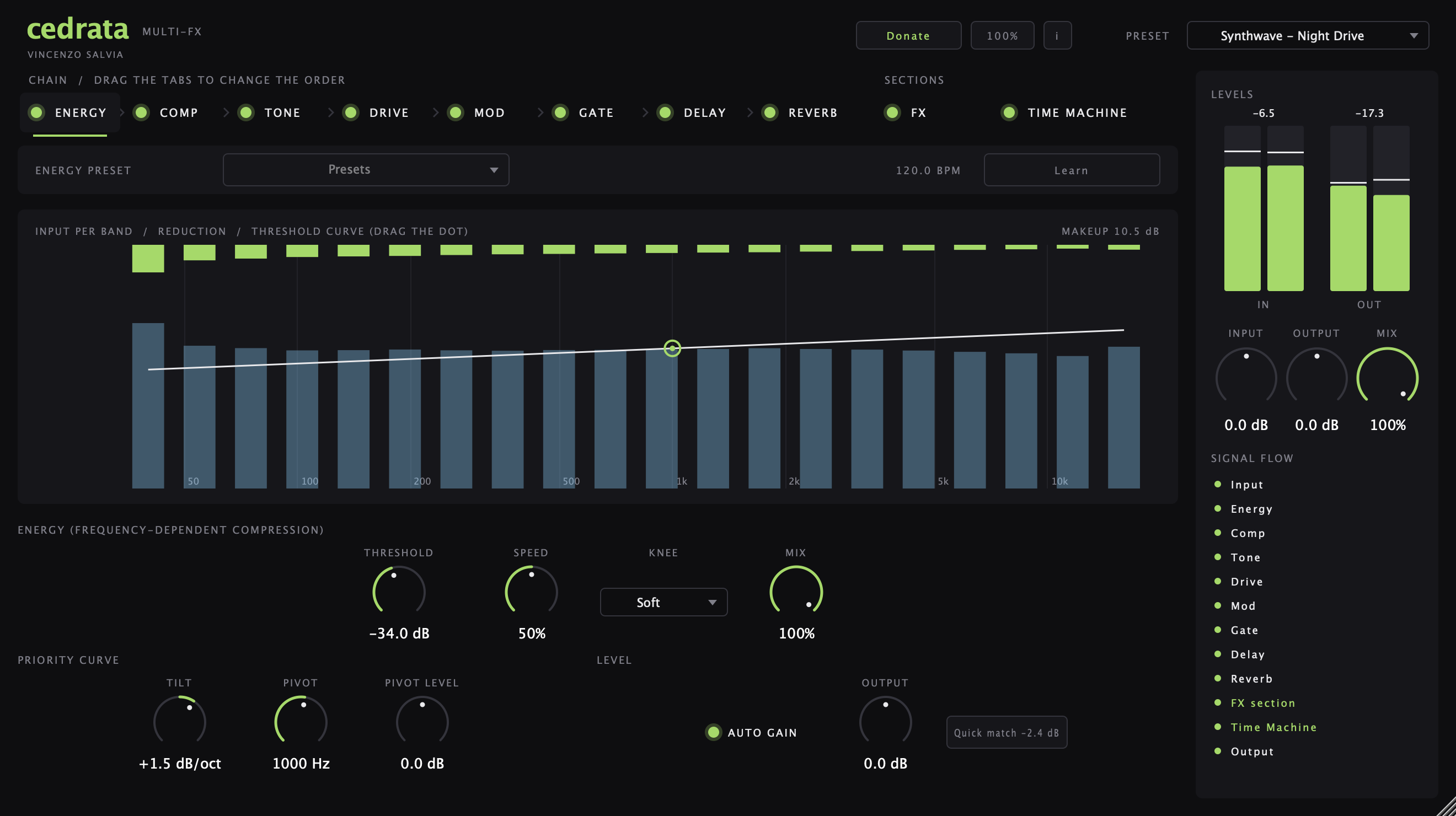
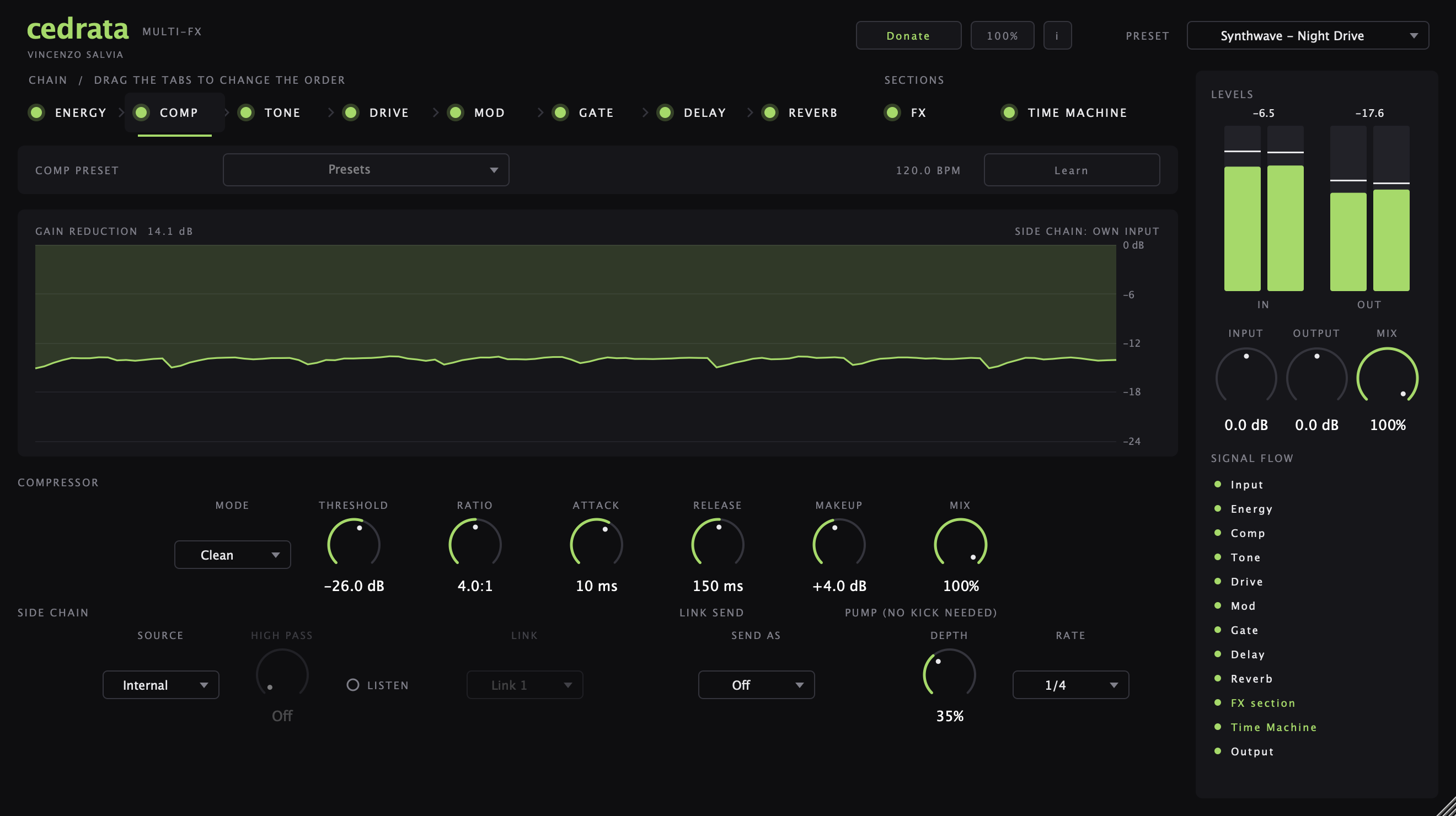
- Eight modules: Gate, Energy, Comp, Tone, Drive, Mod, Delay and Reverb
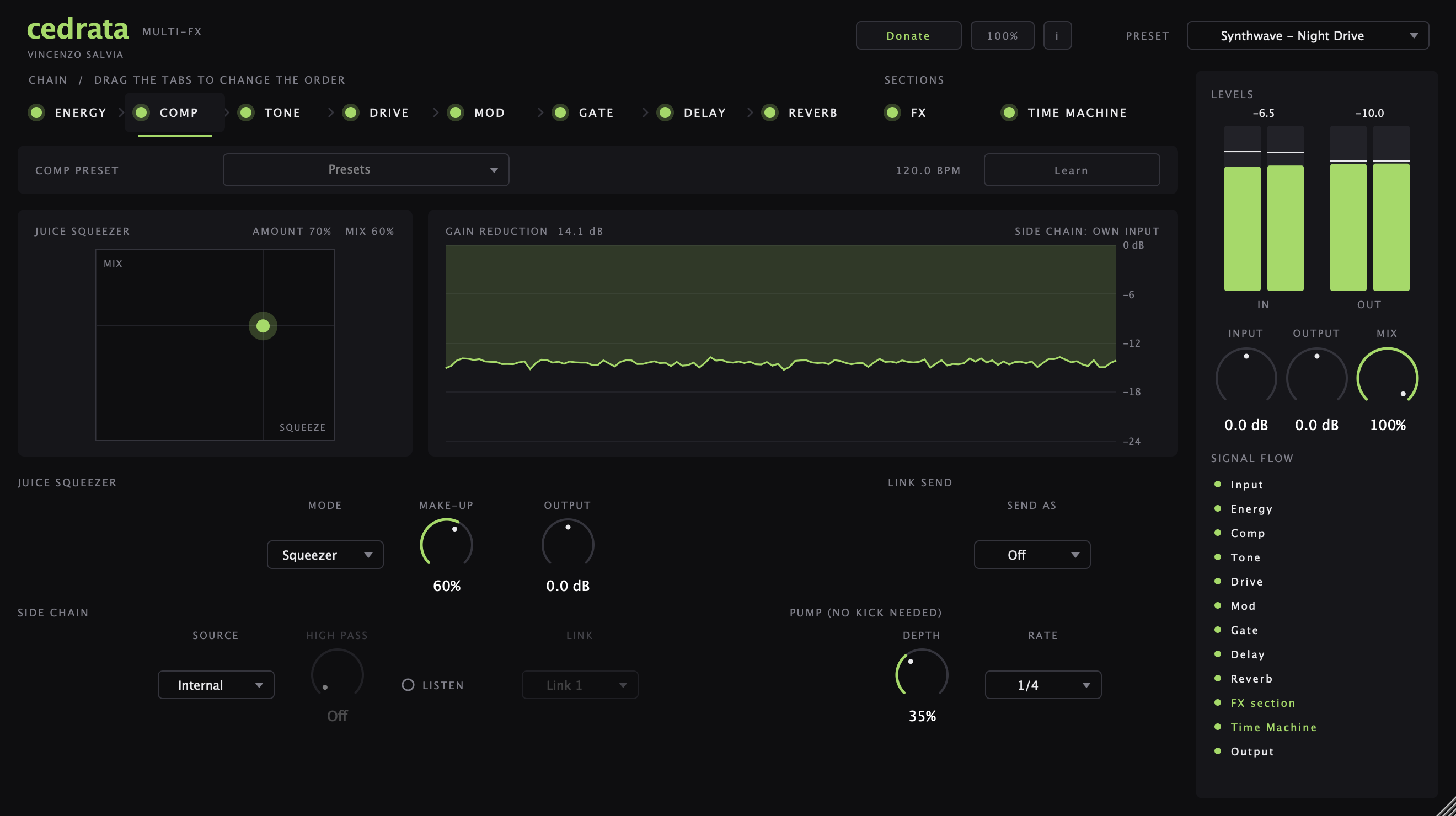
- Juice Squeezer: one-gesture slam compression on an X/Y pad
- Reel: a reel-to-reel tape machine in the Drive, with glue, wear and dual mode
- Clean Tails: reverb tails that fade out when the chords change, instead of piling up
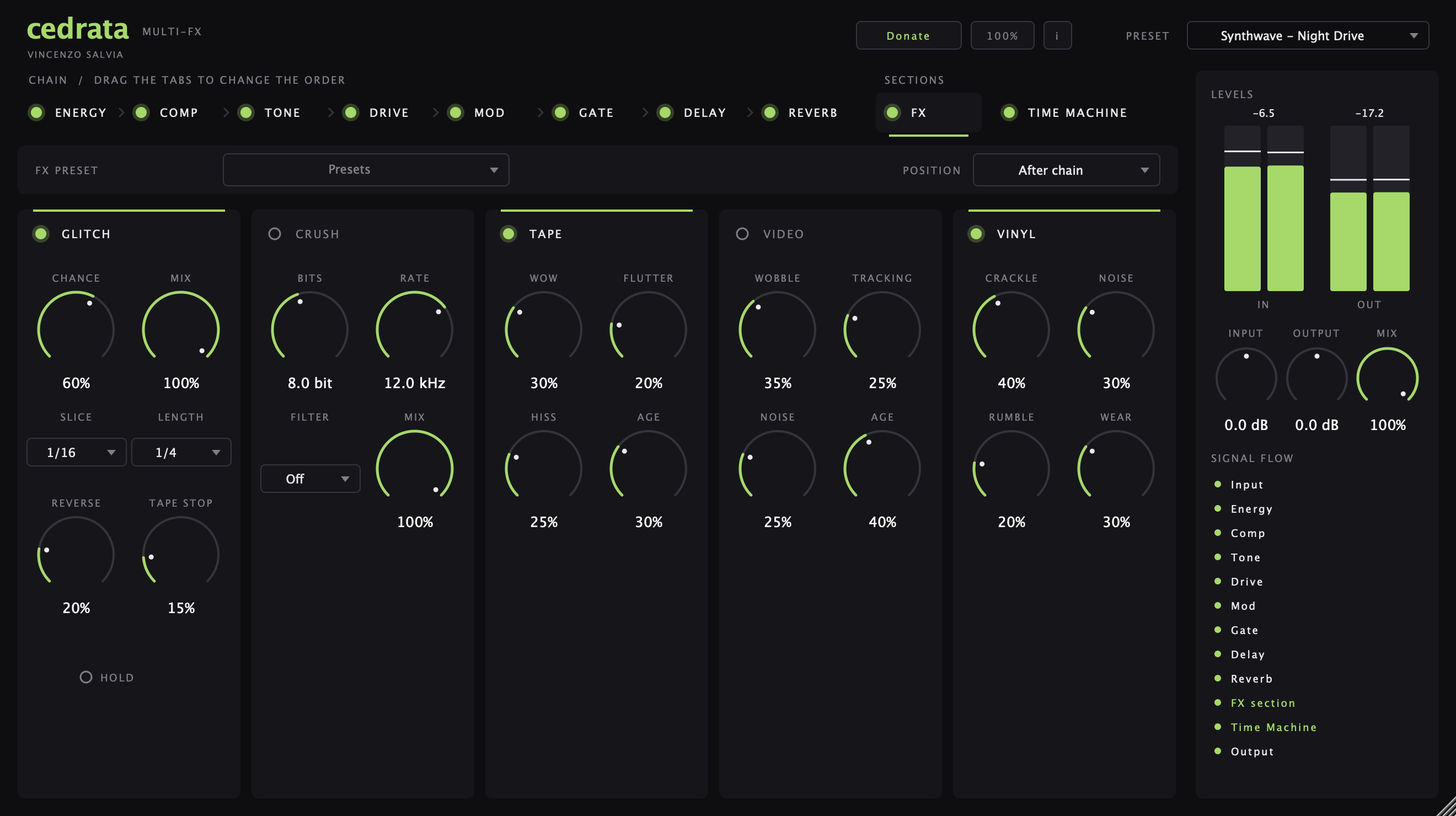
- FX section: Glitch, Crush, Tape, Video and Vinyl
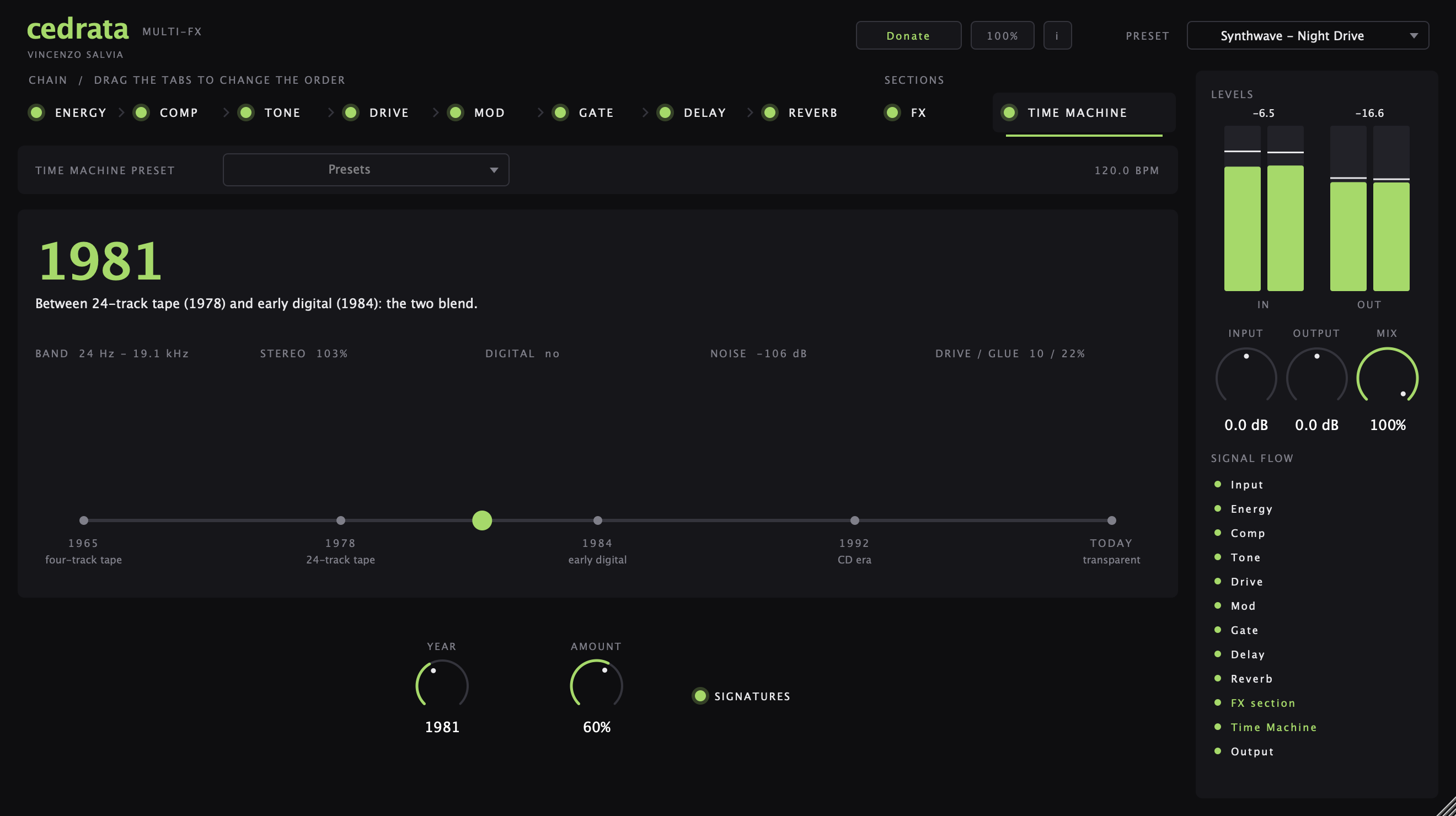
- Time Machine: the recording chain of 1965, 1978, 1984, 1992 and today
- Link: side chain between tracks, with no cables or routing
- 45 chain presets, 21 of them for synthwave, and 78 module presets
Screenshots
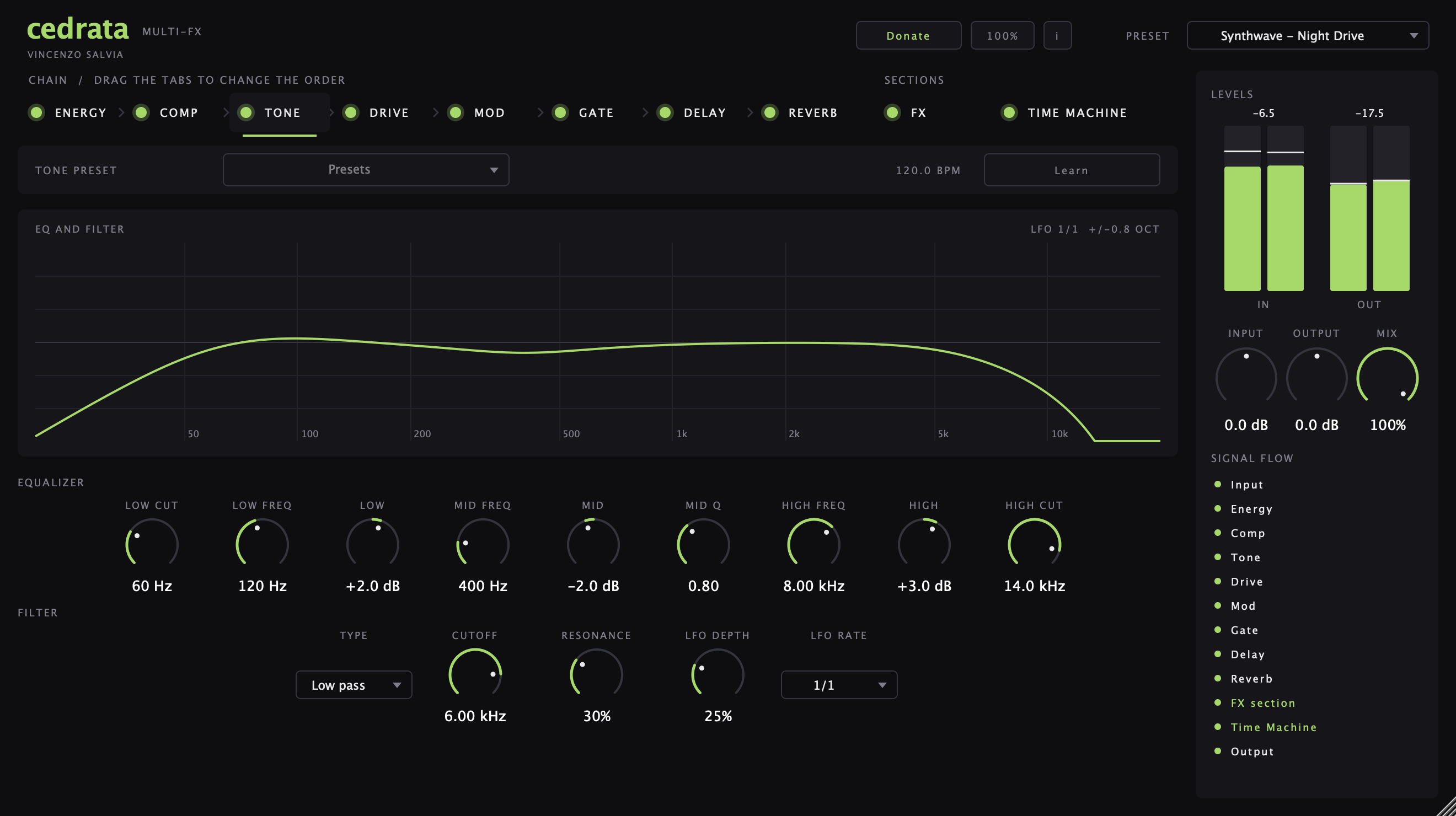
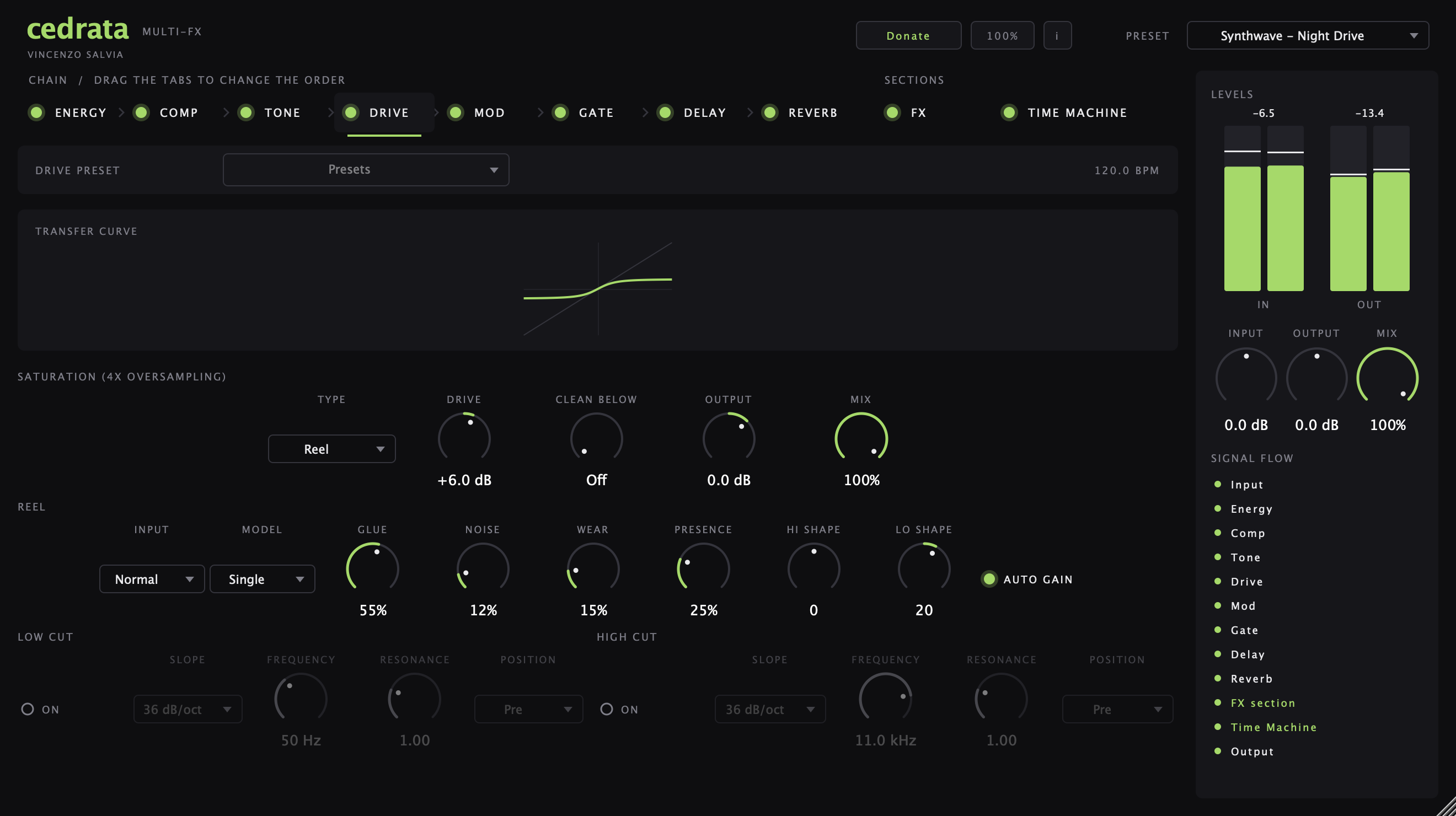
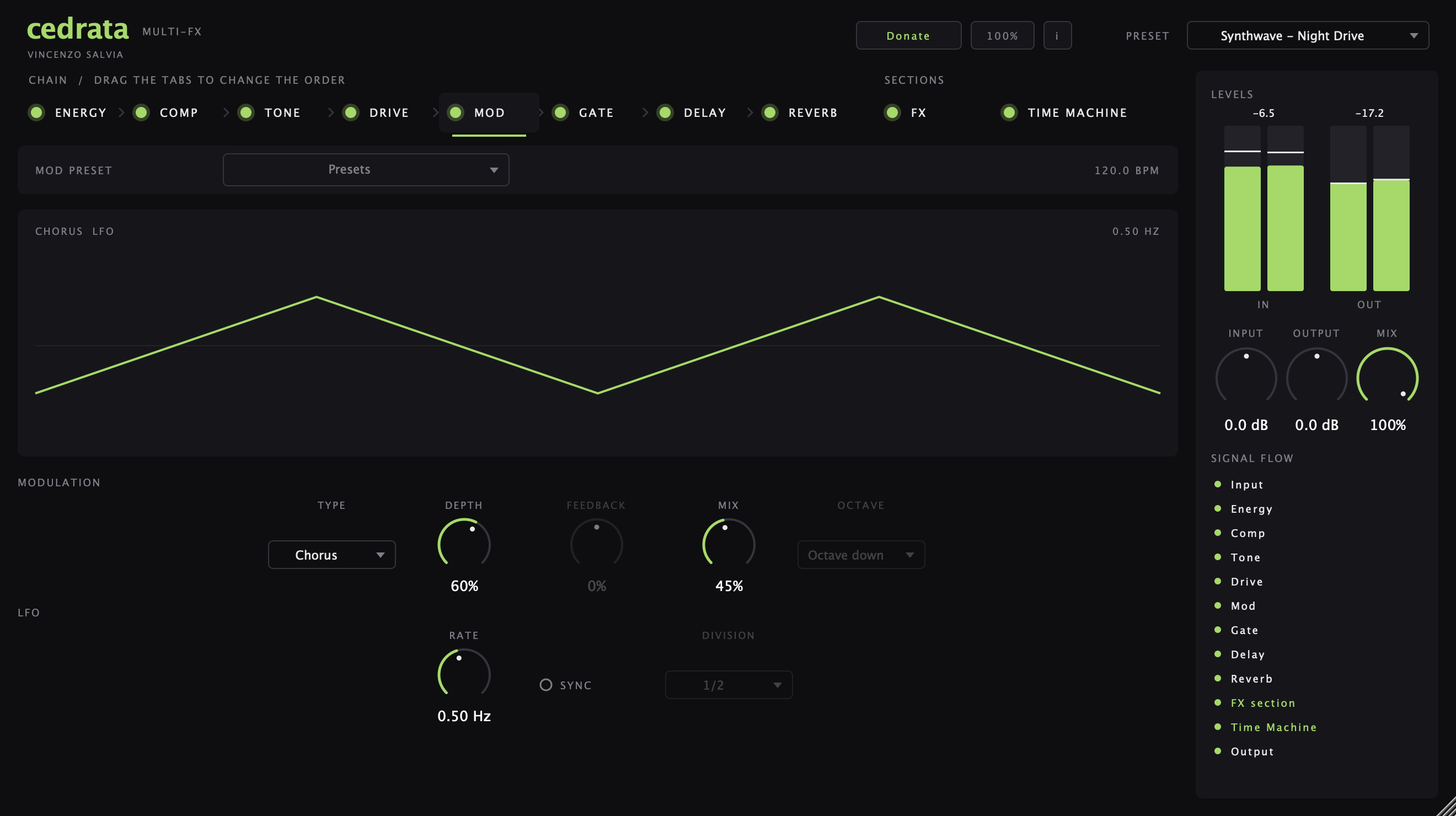
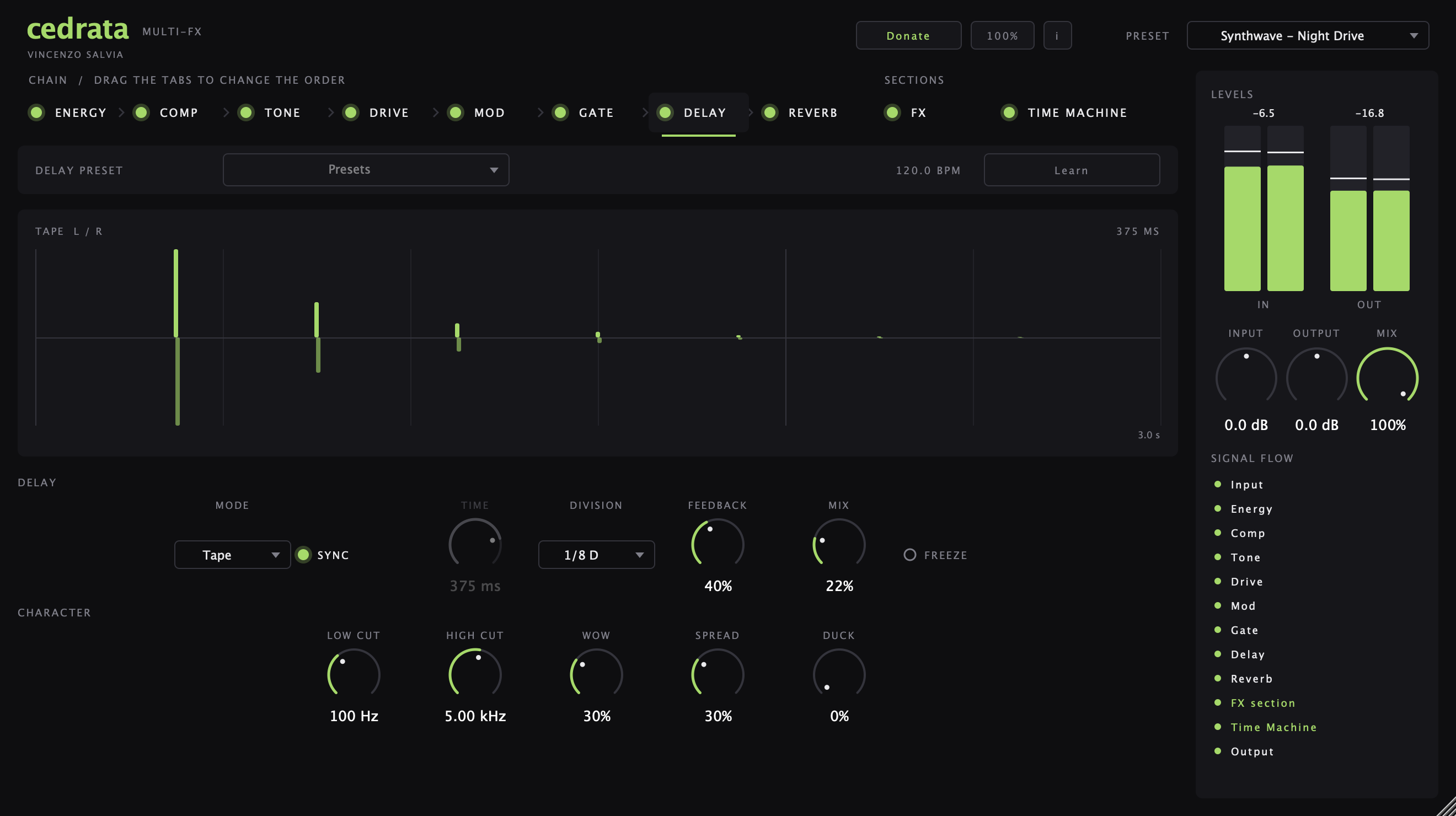
Watch
Juice Squeezer, Reel, Glitch and the Time Machine in 80 seconds, on a loop made with Chinotto and Spuma.
Installing on your Mac
- Double-click the downloaded .pkg file.
- macOS may say it can’t verify the developer: these plug-ins aren’t notarized by Apple. Open System Settings > Privacy & Security, scroll down, click “Open Anyway” and confirm.
- Follow the installer. It asks for your Mac password.
- Open your music app: the plug-in is listed under VS Studio. If Logic doesn’t show it, go to Logic Pro > Settings > Plug-in Manager > Reset & Rescan Selection. In other apps, rescan the plug-ins.
Installing on Windows
- Double-click the downloaded Setup .exe file.
- Windows may show “Windows protected your PC”: the installer isn’t signed. Click “More info”, then “Run anyway”.
- Follow the installer. It asks for permission to install for all users.
- Open your music app and rescan the plug-ins: the plug-in is a VST3 by VS Studio.
Technical specifications
COMPATIBILITY
- Mac: Audio Unit and VST3 (effect), universal binary, native on Apple Silicon and Intel, macOS 12 Monterey or later
- Windows: VST3 (effect), 64-bit, Windows 10 or 11
- Channels: stereo, mono, and mono-in / stereo-out
- Side chain: external side-chain input (mono or stereo) and Link, a cable-free side chain between instances
- Audio Unit hosts: Logic Pro, GarageBand, MainStage, Ableton Live, Studio One, Reaper, FL Studio, Digital Performer
- VST3 hosts (Mac and Windows): Cubase, Nuendo, Bitwig Studio, Ableton Live, Studio One, Reaper, FL Studio
- Not available for: Pro Tools (AAX), 32-bit Windows, Windows 7 and 8, Linux, iOS/iPadOS.
SYSTEM REQUIREMENTS
- Mac: Apple Silicon or 64-bit Intel processor, macOS 12 Monterey or later
- Windows: 64-bit (x64) processor, Windows 10 or 11
- RAM: 4 GB minimum
- Disk space: 20 MB on Mac, 8 MB on Windows
- Display: 1440 × 900 or higher (plug-in window 1320 × 740 at 100%, resizable from 50% to 150%)
No internet connection, account or activation required
PERFORMANCE
CPU load per instance, percentage of one core (Apple M3, 512-sample buffer, stereo):
Everything on    3.2 % at 44.1 kHz · 3.5 % at 48 kHz · 7.0 % at 96 kHz
Everything off   0.04 % at 48 kHz
Module                48 kHz    96 kHz
Gate                  0.06 %    0.13 %
Energy                1.27 %    2.55 %
Comp                  0.08 %    0.15 %
Comp (Squeezer)       0.30 %    0.61 %
Tone                  0.09 %    0.18 %
Drive                 1.19 %    2.38 %
Drive (Reel)          1.17 %    2.33 %
Drive (Reel Dual)     1.64 %    3.28 %
Mod (Chorus)          0.08 %    0.16 %
Mod (Octave)          0.15 %    0.31 %
Delay                 0.11 %    0.22 %
Reverb (Hall)         0.32 %    0.65 %
Reverb (Spring)       0.60 %    1.19 %
Reverb (Clean Tails)  0.59 %    1.17 %
FX (all five)         0.28 %    0.56 %
Time Machine          0.37 %    0.74 %
Modules that are switched off use no processing time.
- Memory: 10.5 MB per instance, plus 20 MB with the editor open
- Load time: 2 ms per instance, 49 ms to open the editor
SOUND ENGINE
- Sample rates: 44.1 to 96 kHz
- Latency: 61 samples at every sample rate (1.27 ms at 48 kHz), constant and reported to the host, including in bypass
- Processing: 32-bit floating point; Drive runs at 4× oversampling with anti-aliased (ADAA) waveshaping
- Chain: eight modules re-ordered by dragging their tabs; the FX section can sit before or after the chain
Modules:
- Gate: noise gate with hold and depth, or a 16-step tempo-synced trance gate
- Energy: zero-latency frequency-dependent compressor, 20 bands from 40 Hz to 16 kHz, adjustable threshold curve (pivot and tilt), auto gain and quick match
- Comp: Clean and Vintage modes and Juice Squeezer, a one-gesture slam compressor on an X/Y pad (amount and mix); internal, external or Link side chain with high-pass filter, tempo-synced pump, parallel mix
- Tone: five-point EQ and a resonant 12 dB filter with tempo-synced LFO
- Drive: Warm, Reel, Tube, Fuzz and Glow saturation; Reel is a reel-to-reel tape machine with drive from -40 to +40 dB, hot input, single or dual machine, glue, noise, wear (wow, flutter, dropouts, high-frequency loss), presence, high and low shape and auto gain; clean-below crossover, low cut and high cut before or after the saturation
- Mod: chorus, ensemble, flanger, phaser, tremolo, auto-pan, doubler and octave
- Delay: digital, tape and ping-pong, tempo sync up to 4 bars or up to 2 seconds, ducking and freeze
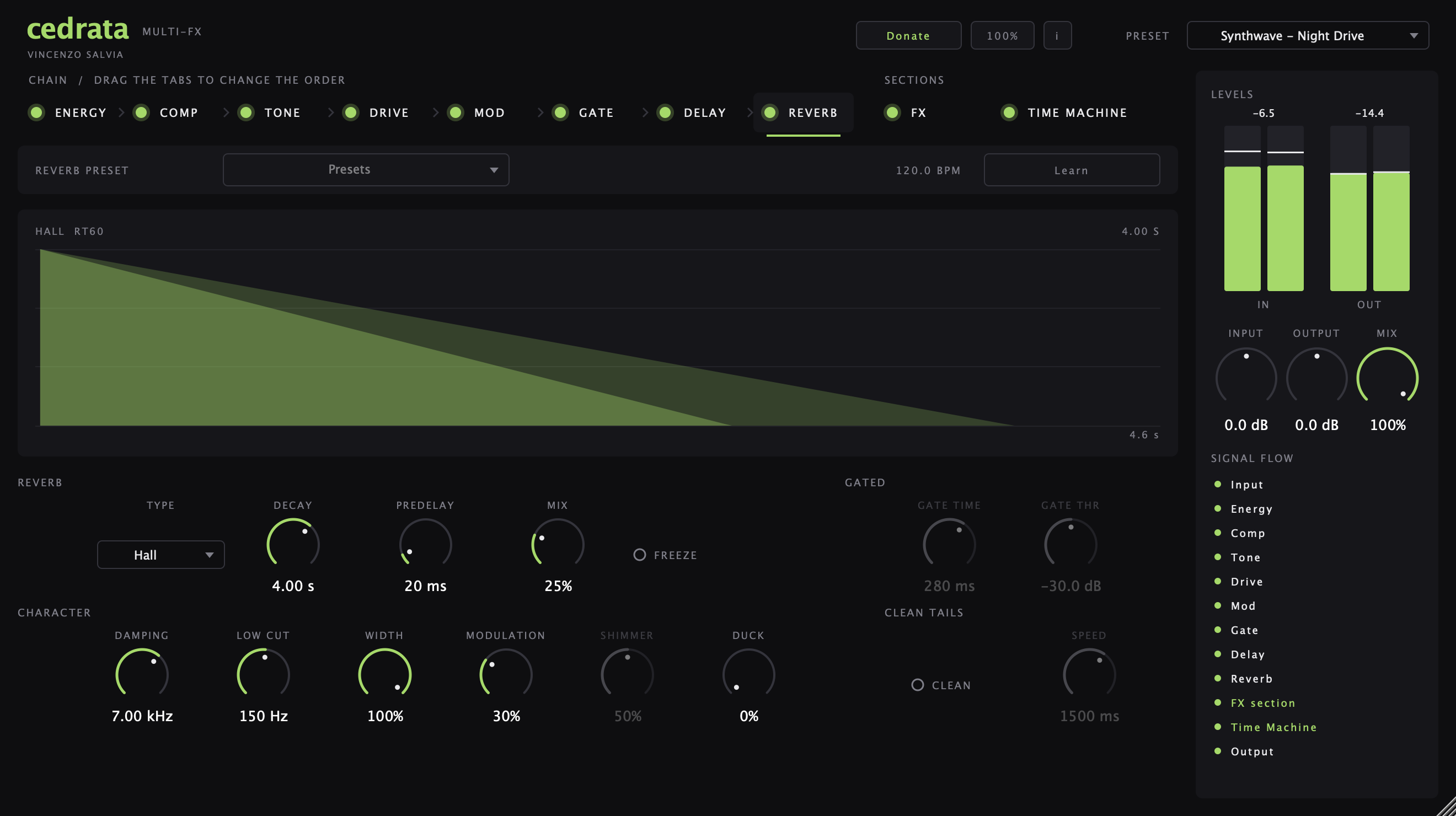
- Reverb: plate, room, hall, shimmer, gated and spring, RT60 decay from 0.2 to 20 seconds, ducking and freeze; Clean Tails on every type: when new notes come in, the tail of the notes no longer playing fades out (4096-point spectral analysis, 200 ms to 5 s, predelay of at least 85 ms when on)
- FX section: Glitch (tempo-synced beat repeat, reverse, tape stop), Crush, Tape, Video and Vinyl
- Time Machine: the recording chain of five eras (1965, 1978, 1984, 1992 and today), blended continuously
- Output: ceiling at -0.01 dBFS on Energy
HOST INTEGRATION
- Tempo sync: Gate, Tone LFO, Mod, Delay, Glitch and Comp pump follow host tempo and song position
- Link: instances on the same computer share a side-chain signal over a local connection, with no cables or routing
- Learn: listens to the track and sets Gate, Energy, Comp, Tone, Delay and Reverb to the material
- Automation: 169 automatable parameters, full state recall with the project, including the chain order
- Sounds: 45 full-chain presets (21 of them for synthwave), 78 module presets, user presets for the full chain and for each module
LICENCE
Free.
Audio Units, Logic Pro, GarageBand, MainStage and macOS are trademarks of Apple Inc. VST is a trademark of Steinberg Media Technologies GmbH. All other product names are trademarks of their respective owners.
New apps and updates by email
Only news about these apps: new releases, updates and sound packs.

